Linktree emulator
A link directory lets you hand out a single, memorable link that you can update after having shared it. Where, for example, when giving a talk I could say “the code and the presentation will be at this link,” but where it is later possible to add the recording of the talk or the results of a survey. I tried Linktree, but I soon filled it with too many links and it became confusing and hard to navigate. I needed a way to group thematically and with a flexible degree of depth levels. Indeed, if someone is not interested in topic “X” they probably would not be interested in the video of “X,” the code of “X,” the presentation of “X” in html or pdf.
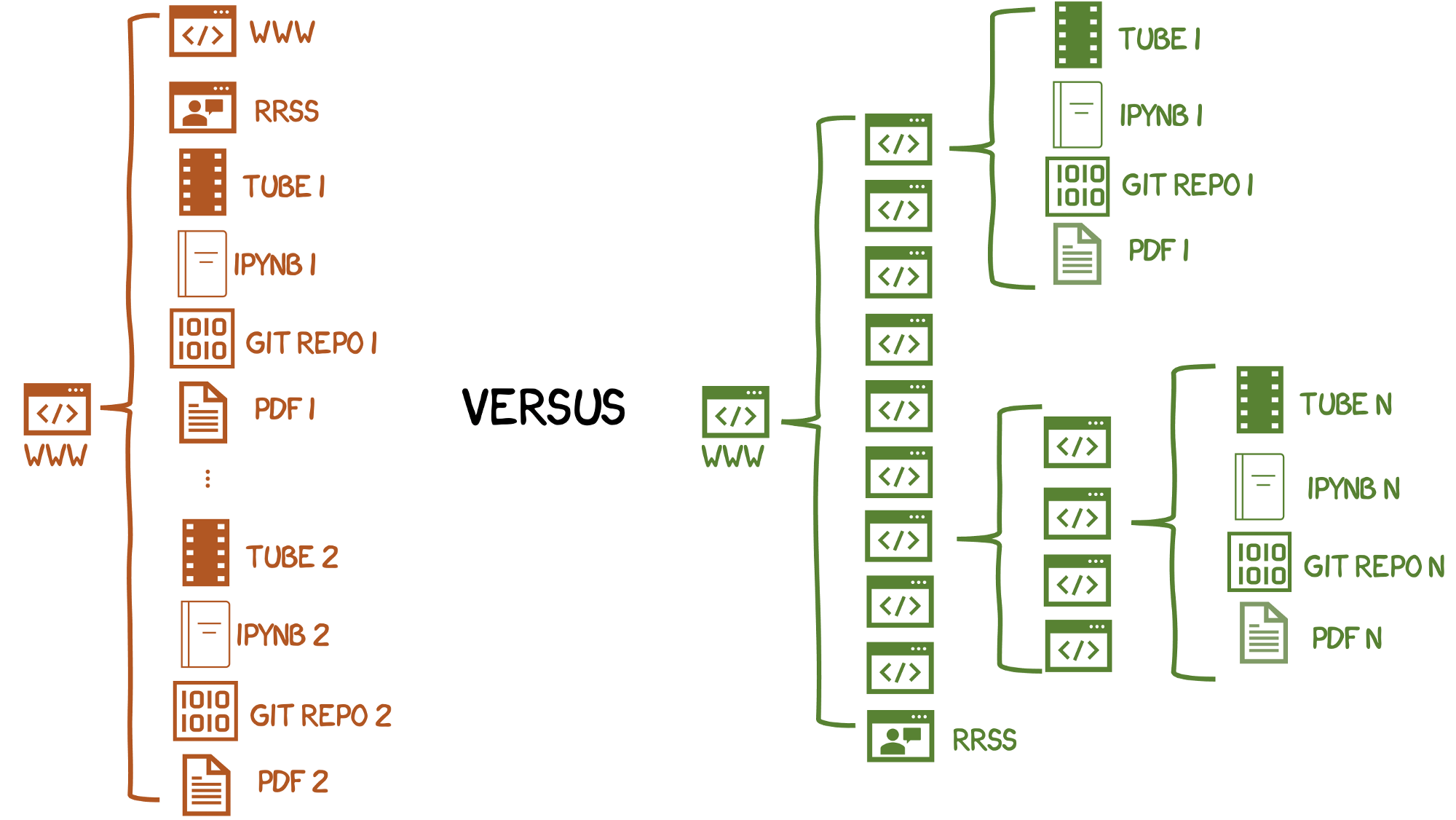
Format offered by linktree (left) versus what I needed and had to create (right). I needed a way to have a link directory with a memorable name, easy to share and customize, but allowing different levels of grouping to be kept. Additional challenge: When it comes to online resources, I am an extreme cheapskate. So I was looking for a solution that I could implement without recurring monthly costs.
As an extreme cheapskate I even thought about making several linktree accounts and linking them to each other, but it was not a scalable solution (and I would have to remember which email and password I used for each link). So, between a mix of embarrassment and laziness, I ended up discarding the idea. The solution hit me all at once. Github allows showing static html pages. I could make a simple html page that emulated linktree and that I could store in each repository on github! The central link would still be on linktree (lintr.ee/sebastiandres in my case) and the links would point to the plain htmls of each github repository. It is a good mix, because linktree is fairly friendly and has some administration tools such as enabling/disabling links. I started by reviewing linktree’s code, but it was excessively long and confusing. So I got to work and started building a solution incrementally.
- First version: A single html file, simple and functional. It imitates the colors and buttons using only html and css, no javascript, including the button animation. I start deploying it to my repositories and linking them from linktree. It is enough to enable each repository as github pages for github to provide a fixed and stable link for index.html (or README.md). It is not perfect, but it works, the minimum functionality is met. Problems detected: the font type and size are similar but not correct. The display on a smartphone is very different between linktree and the (cheapskate) imitation.
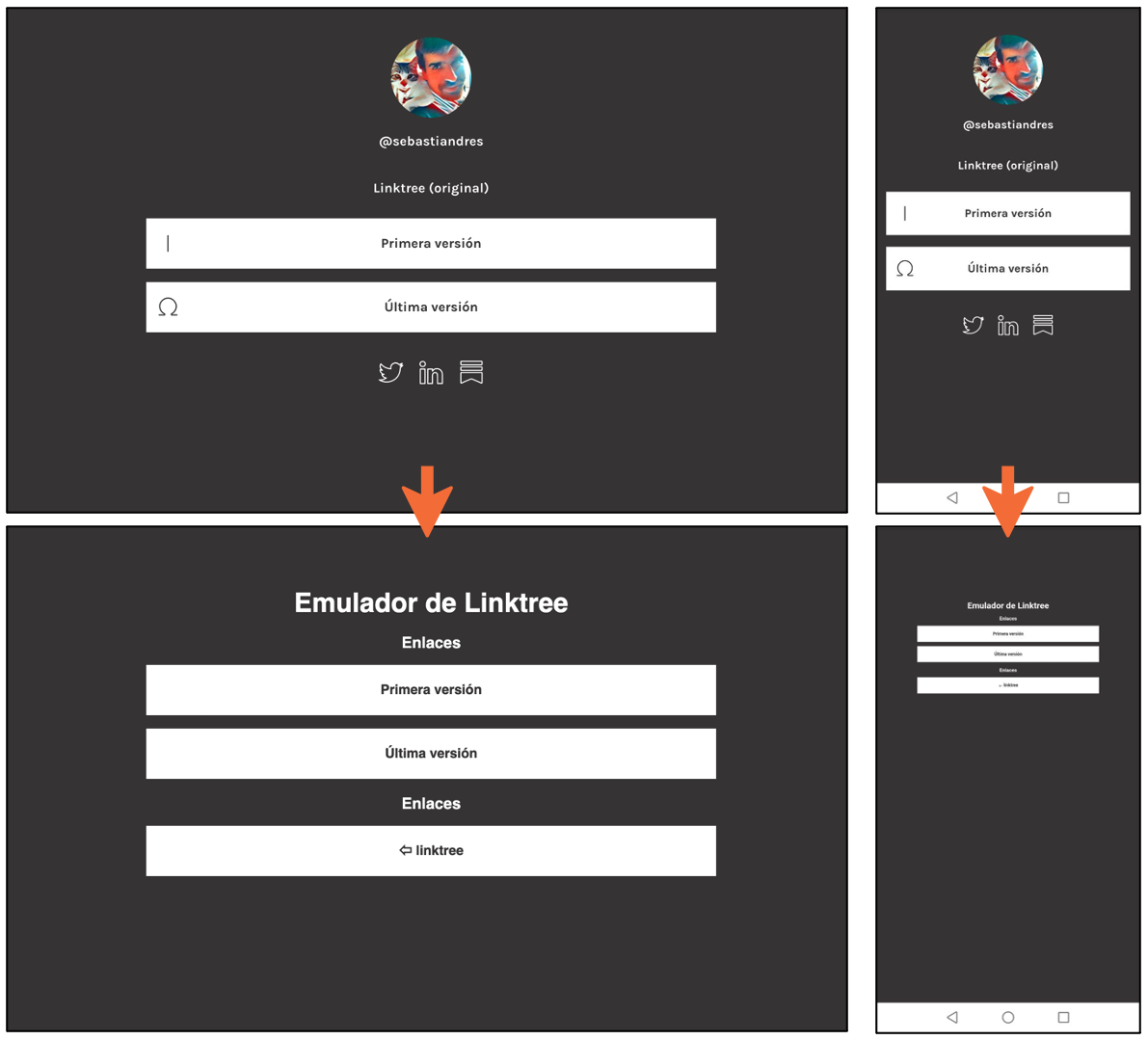
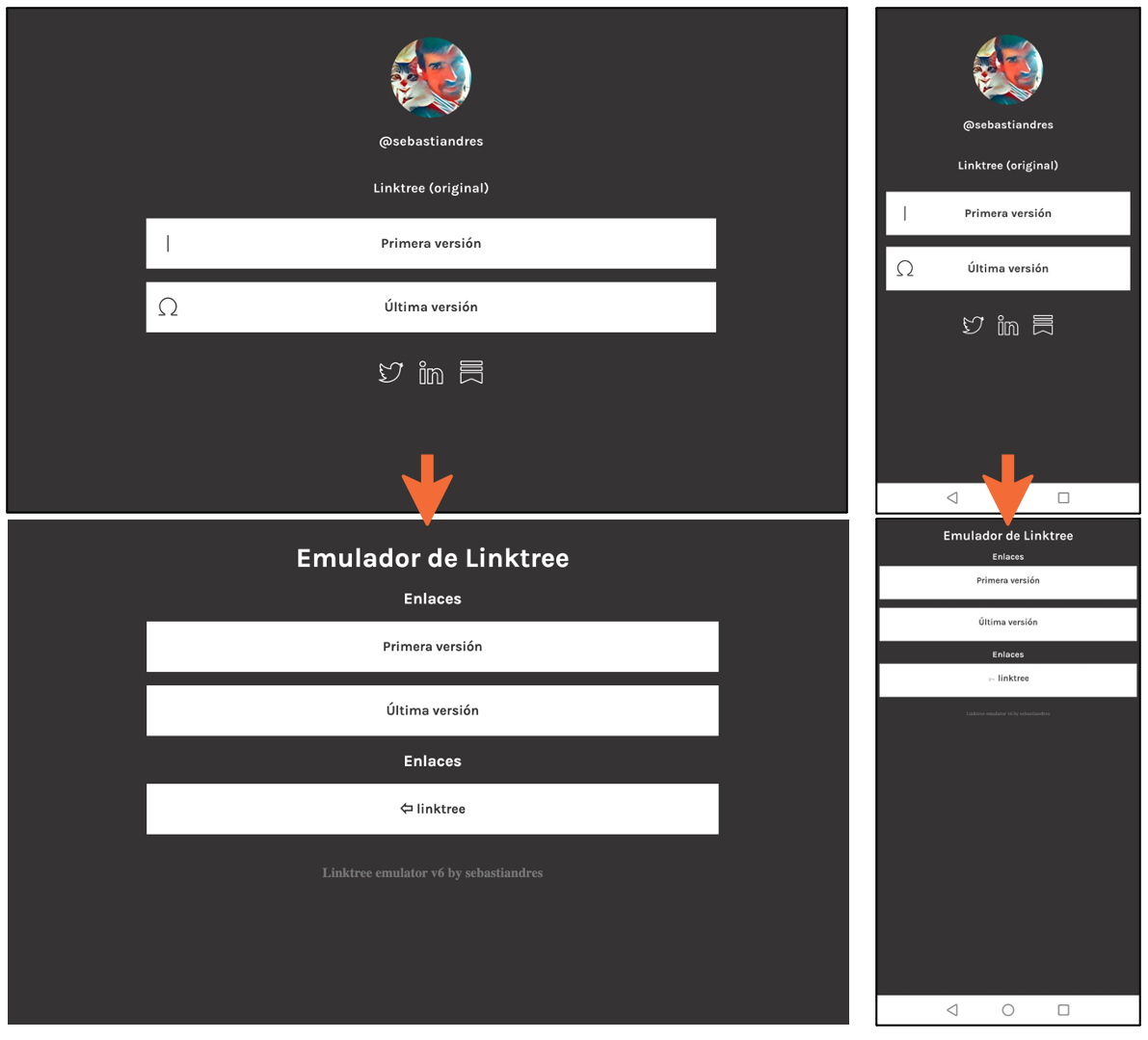
Second version: After googling, I learned to handle selective css using @media (orientation: landscape/portrait). Problems detected: It still looks a bit different, especially in the margins and button size. As I update this second version in my repositories, I realize that it is hard to remember and visually distinguish which is the current version. It would be interesting to have some kind of visual indicator about it. Third version: Adjustments to the css properties to better imitate linktree (width, height, text wrapping, font sizes). It includes a text with the version to distinguish the version used in each repository and make updating easier. Problems detected: The texts are not centered properly. The worst is having to manually copy the new style to each repository on every new update. Ideally the style would be managed centrally and automatically updated to all the repositories that used it.
Fourth version: Instead of having the css directly in the html, I move it to a css file. That way, all the files can call that file. This allows separating content from format. This fourth version gave me many problems. Locally everything worked fine, but github did not display the page well because of a problem with the MIME type of the css file. So I had to use https://raw.githack.com to obtain a css link with the correct MIME type. Problems detected: Updating the css with github through https://raw.githack.com has a significant lag, sometimes of hours, so it is hard (and frustrating) to check whether the change came out right.
Fifth version: I start using DigitalOcean to spin up a static site from the github repository. That way, fixed urls are generated for the assets (css or eventually javascript) that update automatically with each push to github, at no associated cost and with the proper MIME type. This allows having a stable link for css and html that can be used in the github repos. Now I also externalize the “version” of the file, so that it is imported by the file. These css and html files will now always be called “latest_style.css” and “latest_copyright.html,” which I update with each version change. This way the final file updates automatically when there is any change (no more mass changes in the repos!!!). Some additional classes are also defined to handle titles and subtitles. Problems detected: In general it looks good, but there are some glitches in font size, centered texts and details like that.
*** Sixth (and last) version**: General review of the code to optimize and clean it up. Some unnecessary css properties are removed. There are 3 files: The main file is index.html where the links are defined, and the files latest_style.css (style) and latest_copyright.html (emulator version) are used. Each new page with links only needs to define the links, the style and copyright are already defined! Problems detected: Nothing for now.
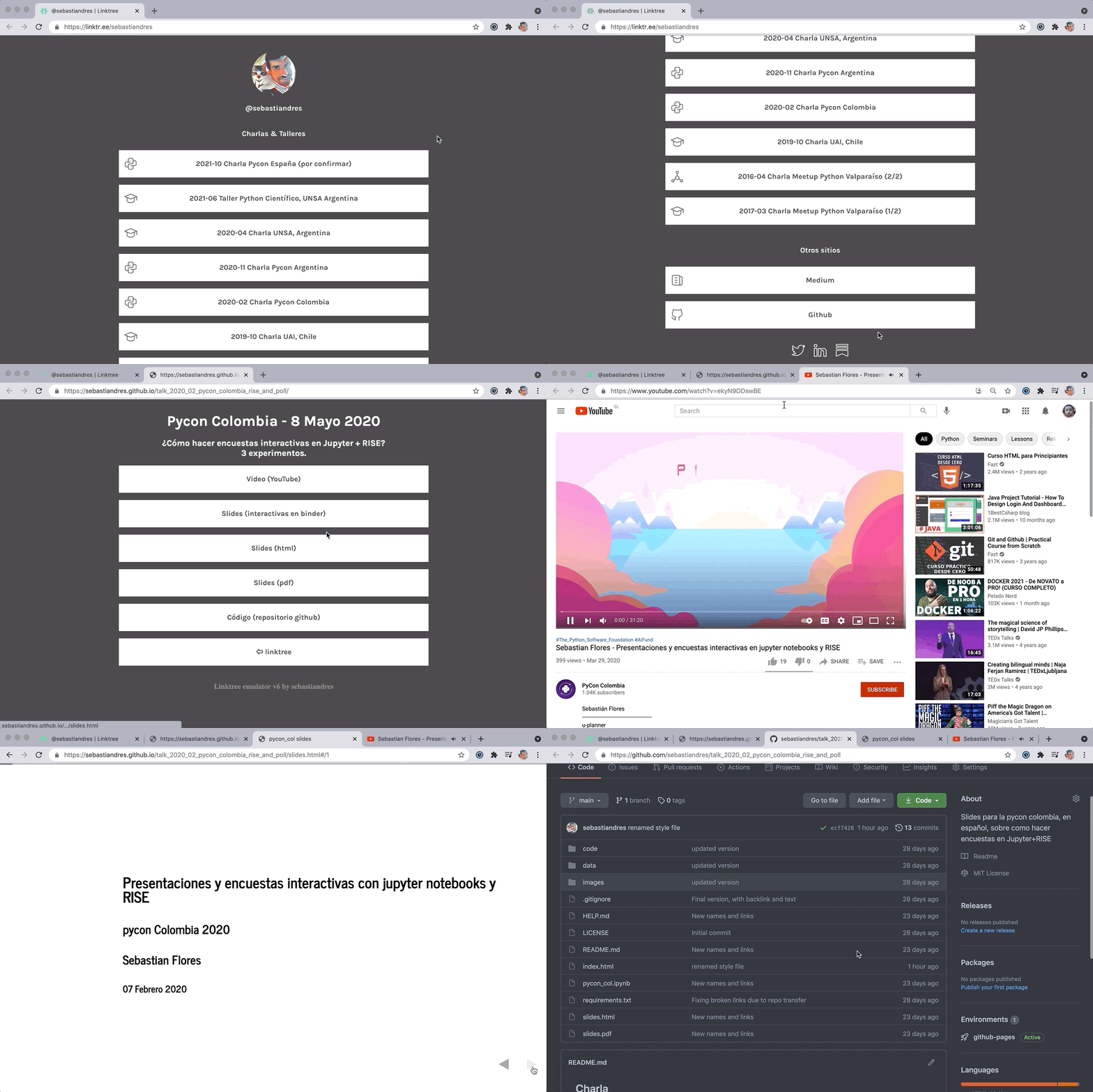
Sneak peak:
What does the code look like? The first version mixes the code and the style. It makes updating multiple files tedious and error-prone (but it was a quick version to develop and self-contained).
<!DOCTYPE html>
<html>
    <head>
        <style>
            html {background-color:#3d3b3c; font-family: Karla, sans-serif;
                  font-size: 16px; font-weight: 700;}
            h3, h2, h1 { color:#ffffff; margin-bottom: 16px; text-align: center;}
            div {position: fixed; top: 25%; left: 50%;
                -webkit-transform: translate(-50%, -50%); transform: translate(-50%, -50%);}
            a {text-decoration: none!important;}
            p  {background-color:#ffffff; color:#3d3b3c; line-height: 56px; width: 676px;
                border: 2px solid rgb(255, 255, 255); margin-bottom: 16px; text-align: center;}
            p:hover {background-color:#3d3b3c; color:rgb(255, 255, 255);}
        </style>
    </head>

    <body>
        <div>
            <h1>Emulador de Linktree</h1>
            <h3>Enlaces</h3>
            <a href="https://linktree-ixkge.ondigitalocean.app/demo1.html" target="_blank">
                <p>Primera versión</p>
            </a>
            <a href="https://linktree-ixkge.ondigitalocean.app/demo6.html" target="_blank">
                <p>Última versión</p>
            </a>
            <h3>Enlaces</h3>
            <a href="https://linktr.ee/sebastiandres">
                <p>⇦ linktree</p>
            </a>
        </div>
    </body>
</html>
The latest version allows changing the style and copyright centrally, and worrying only about the content.
<!DOCTYPE html>
<html>
<head>
<link href="https://fonts.googleapis.com/css2?family=Karla:wght@300;400;600;700&display=swap" rel="stylesheet">
<link href="https://linktree-ixkge.ondigitalocean.app/latest_style.css" rel="stylesheet">
</head>
<body>
<div>
<h1>Emulador de Linktree</h1>
<h3>Enlaces</h3>
<a href="https://linktree-ixkge.ondigitalocean.app/demo1.html" target="_blank">
<p>Primera versión</p>
</a>
<a href="https://linktree-ixkge.ondigitalocean.app/demo6.html" target="_blank">
<p>Última versión</p>
</a>
<h3>Enlaces</h3>
<a href="https://linktr.ee/sebastiandres">
<p>⇦ linktree</p>
</a>
</div>
<!-- Version - dont change this code-->
<object data="https://linktree-ixkge.ondigitalocean.app/latest_copyright.html" width=100%></object>
</body>
</html>And how does it all look in the end? It looks like this:
Lessons learned:
Separating content and form is essential to save work. Even for a small project like this one, it helps enormously to avoid duplicating work and to make updates to N pages easier.
The first version, which had 80% of the functionality, took me 20% of the time invested. But the remaining 80% of the time taught me many things I did not know about html and css, mime types, and it was very valuable.
Creating Github pages for each repository is very practical, but it has certain limitations so that people do not abuse it by creating static pages and use it as a free webserver. There are some sites to serve css and javascript with the correct MIME type (https://raw.githack.com for example), but they do not update automatically. DigitalOcean allows spinning up static sites at zero cost and with automatic updates, and keeping everything synchronized.
Links of interest: * https://linktr.ee/sebastiandres: My link directory, the site I wanted to imitate. linktree-ixkge.ondigitalocean.app: Static website, serves as a demo of “how it would look” and to store/link the css and copyright. * https://github.com/sebastiandres/linktree: Repository with the different versions of the code. You can take the latest version of html, css and copyright and customize it to your liking. * Things to improve? Many! Suggestions and comments welcome!